Transfer your library to Engine DJ in Rekordbox.
Moving from Rekordbox to Engine DJ means rebuilding metadata the hard way natively, or using Vibes to import your Rekordbox library and export it straight into Engine DJ's database in one step.
First 500 licenses at $49. Be the first to know when we launch.
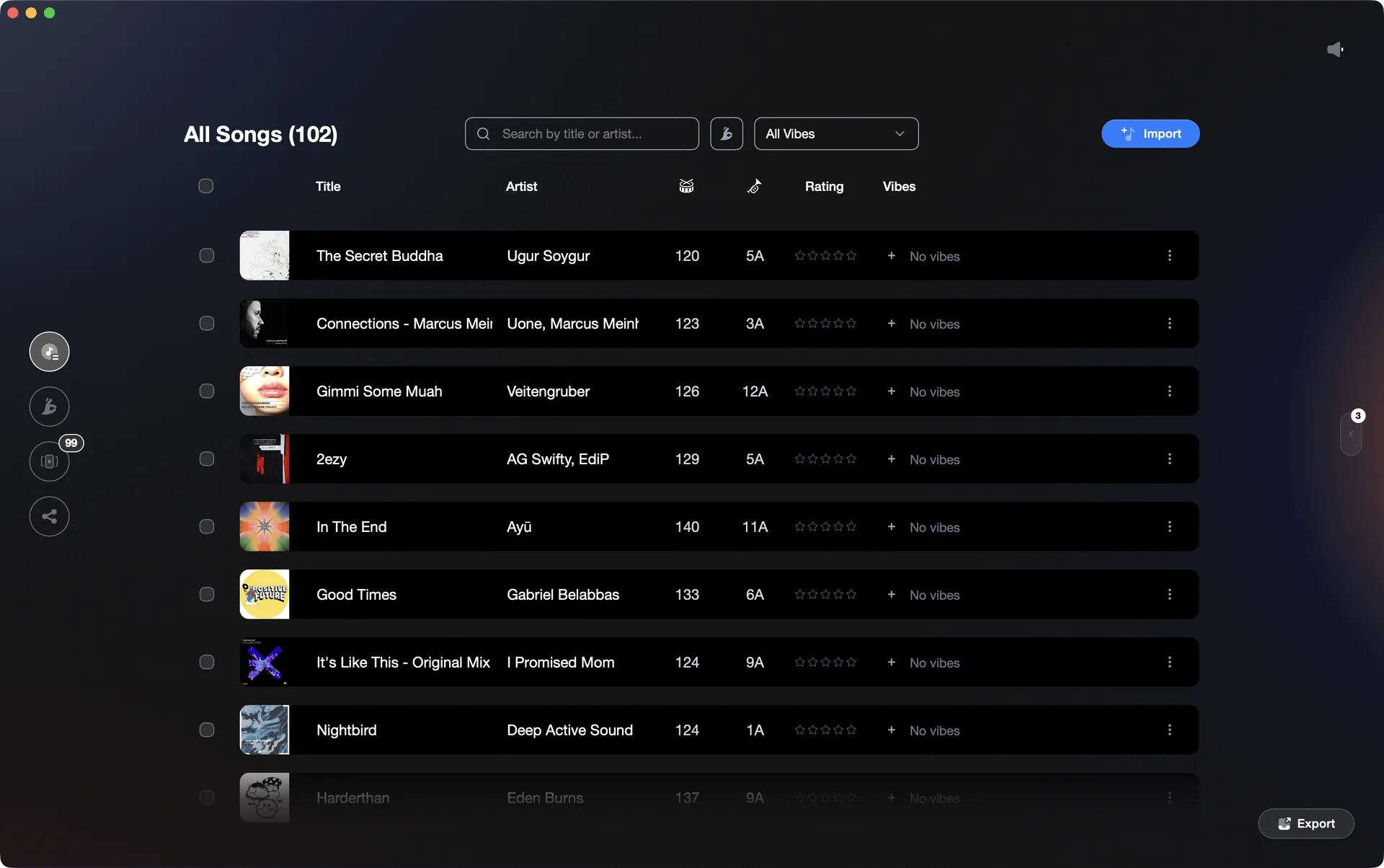
Vibes reads your Rekordbox library and writes directly into Engine DJ.
Transfer your library to Engine DJ in Rekordbox, step by step.
Engine DJ has built-in Rekordbox import support. The standard path in Engine DJ desktop reads your Rekordbox data directly without a third-party tool, though you should export an XML from Rekordbox first to ensure all metadata is portable. The main friction points are around playlist import, which requires extra steps, and track path resolution if your music folder has moved.
Export your Rekordbox library as an XML file
In Rekordbox, go to File and select Export Collection in xml format. Choose a save location and export. This captures your playlists, hot cue points, memory cues, BPM, and key data. No toggle in Preferences is needed for this export; Preferences > Advanced > rekordbox xml only controls an auto-generated XML path used by certain integrations, not the File menu export.
Point Engine DJ at the Rekordbox data
Open Engine DJ desktop. In the left panel you will see a rekordbox entry. If Engine DJ detects a live Rekordbox installation, it may read the database directly. If not, right-click the rekordbox entry and choose to point it at the XML file you exported. Engine DJ reads the source and surfaces your tracks, hot cues, loops, and beat grids. Note that right-clicking and choosing Import Collection imports tracks only, not playlists. To bring in playlists, expand the rekordbox panel, right-click each individual playlist, and select Import as Playlist.
Resolve track paths and confirm metadata
After import, Engine DJ will attempt to locate your audio files on disk. If your music folder path differs from what Rekordbox recorded, you may need to redirect Engine DJ to the correct folder. Spot-check that BPM values and cue points have carried over correctly before syncing to a drive. Memory cues from Rekordbox are converted to hot cues during import; memory cue colors are not preserved in the XML but hot cue colors are.
Verify on your hardware
Connect your Engine DJ device and sync the library to it. Spot-check cue points on a few key tracks to confirm the transfer was clean before your next session.
The catch
Engine DJ has native Rekordbox import built in, so no third-party tool is required for a basic migration. The main friction points are: playlists do not bulk-import via Import Collection and must be imported individually using Import as Playlist; memory cues from Rekordbox are converted to hot cues (Engine DJ has no native memory cue concept); memory cue colors are not preserved in the XML transfer but hot cue colors are; track paths may need manual correction if your music is stored in a different location than Rekordbox recorded; and the import is a one-way, one-time migration tool rather than a live sync mechanism.
 Euphoric
 Melancholic
 Mysterious
 Aggressive
 Peaceful
 Rave
Rave Afterhours
 Club
Club Home
HomeThe faster way
Import from Rekordbox, export to Engine DJ. Done.
Vibes reads your Rekordbox master.db (or legacy XML) directly and writes into Engine DJ's m.db database, carrying cue points, BPM, key, and your vibe-based playlists across in a single step.
See how it worksOrganize in Vibes, export to Rekordbox.
Your playlists, tags, ratings, and cue points travel back to the gear you play on, so nothing you do in Vibes is locked away.
Track 001
Artist A
AfterhoursMysterious Introspective
Track 002
Artist B
 Cozy FloorPeacefulHome
Track 003
Artist C
RaveAggressive Festival
 Build & Release
Frequently asked questions
The honest answers, including the trade-offs.
Methodology
How we keep this honest.

Verified against the app
Every step is checked against the current version of Rekordbox.
We own our bias
We make Vibes. We show the native way first and honestly, then where Vibes genuinely helps, and we say when it does not.
Live pricing
The Vibes price shown comes straight from our checkout, never a hardcoded marketing number.
Kept current
Last reviewed June 2026.
One-time purchase
Get Vibes with a single payment. No subscription.
First 500 licenses at this price. Be the first to know when we launch.

Keep exploring
Works with your software
Vibes for DJs
How-to guides
Best DJ software
Move between apps