
Auto-tag your tracks in Engine DJ.
Engine DJ does not have automatic energy or mood tagging. Here is how to do it manually inside the software, and how Vibes uses on-device AI to tag your whole library and export the results directly into Engine DJ.
First 500 licenses at $49. Be the first to know when we launch.
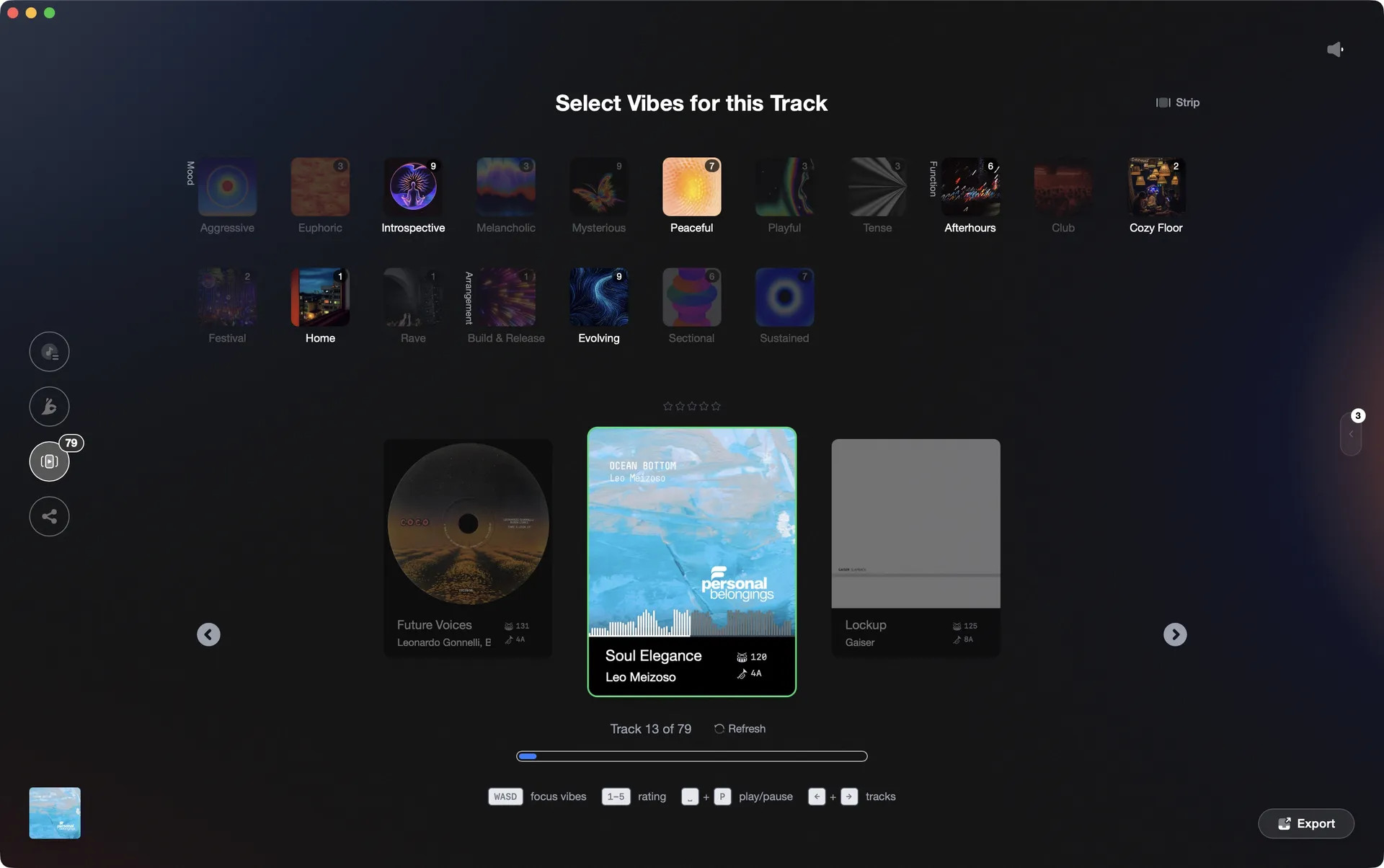
Tag tracks by feel in Vibe Sort, then export labeled playlists into Engine DJ.
Auto-tag your tracks in Engine DJ, step by step.
Engine DJ does not offer automated tagging by energy or mood. You can add tags manually using the Genre, Comment, or Label fields directly in the track list, then use Smart Lists to surface tracks that match.
Open your collection in Engine DJ
Launch Engine DJ on your computer and let your collection sync or load. All your tracks should appear in the Collection panel on the left. Make sure any connected drives are mounted so tracks are visible.
Choose a field to use as your tag
Engine DJ does not have a dedicated tag field for energy or mood, so pick a free-text field you are not already using: Comment, Genre, or Label all work. Decide on a consistent set of values before you start, such as 'peak', 'warm-up', or 'closing', so your tags stay uniform across the library.
Edit tracks by clicking directly in the field
Find the track in your collection. Make sure the Genre, Comment, or Label column is visible in your track list (right-click a column header to add columns if needed). Double-click the field for that track and type your chosen tag value. When you have multiple tracks selected, double-clicking a field on any of them will prompt you to apply the change to all selected tracks at once, which makes batch-tagging a group faster than editing one at a time. Repeat for each group you want to label.
Create a Smartlist to group tagged tracks
Once you have tagged a set of tracks, right-click Collection (or an existing Playlist) in the left panel and choose 'Create Smartlist'. Set a filter rule matching the field and value you used, for example Comment contains 'peak'. Engine DJ will automatically populate it with every track that matches, giving you a ready-made list for that energy level.
The catch
Engine DJ has no way to suggest tags automatically: every track must be opened and labeled by hand. Multi-select speeds up the process when you want to apply the same tag to a group at once, but the initial categorization decision still requires manual judgment for each track.
 Afterhours
 Mysterious
 Introspective
 Evolving
The faster way
Let on-device AI tag your Engine DJ library for you.
Vibes imports your Engine DJ library, runs audio analysis on every track using CLAP embeddings, and trains a small model on your own tagging decisions. The wand button then suggests energy and mood vibes for tracks you have not touched yet. When you are ready, Vibes writes labeled playlists directly into Engine DJ's database.
See how it worksOrganize in Vibes, export to Engine DJ.
Your playlists, tags, ratings, and cue points travel back to the gear you play on, so nothing you do in Vibes is locked away.
Track 001
Artist A
AfterhoursMysteriousIntrospective
Track 002
Artist B
 Cozy FloorPeaceful
 Home
Home
Track 003
Artist C
Rave Aggressive
 Festival
 Build & Release
Frequently asked questions
The honest answers, including the trade-offs.
Methodology
How we keep this honest.

Verified against the app
Every step is checked against the current version of Engine DJ.
We own our bias
We make Vibes. We show the native way first and honestly, then where Vibes genuinely helps, and we say when it does not.
Live pricing
The Vibes price shown comes straight from our checkout, never a hardcoded marketing number.
Kept current
Last reviewed June 2026.
One-time purchase
Get Vibes with a single payment. No subscription.
First 500 licenses at this price. Be the first to know when we launch.

Keep exploring
Works with your software
Vibes for DJs
How-to guides
Best DJ software
Move between apps