Track Element Cutting
Track Element Cutting is a DJ transition technique that swaps or isolates parts of one song, like drums, vocals, or bass, to create cleaner and more intentional mixes.
Track Element Cutting Tutorials

Beginner DJ Equipment: What You Need
Track Element Cutting is for DJs who already know how to mix, but want transitions that sound more intentional. Instead of blending whole tracks and hoping the arrangement works, you cut between specific parts like drums, vocals, basslines, or riffs so each section earns its place.
That matters because many songs are not built with long DJ-friendly intros and outros. Educational resources like the DJ TechTools guide to mixing tracks without DJ intros and the Digital DJ Tips transition timing guide both show the same core idea: clean transitions often happen when one track supplies a simple element and the other supplies the musical change.
In practice, Track Element Cutting lets you move faster between sections, avoid melodic pileups, and control energy with more precision. It works especially well when you can already build reliable beat matching control and learn phrase mixing for cleaner handoffs.
What Is Track Element Cutting?
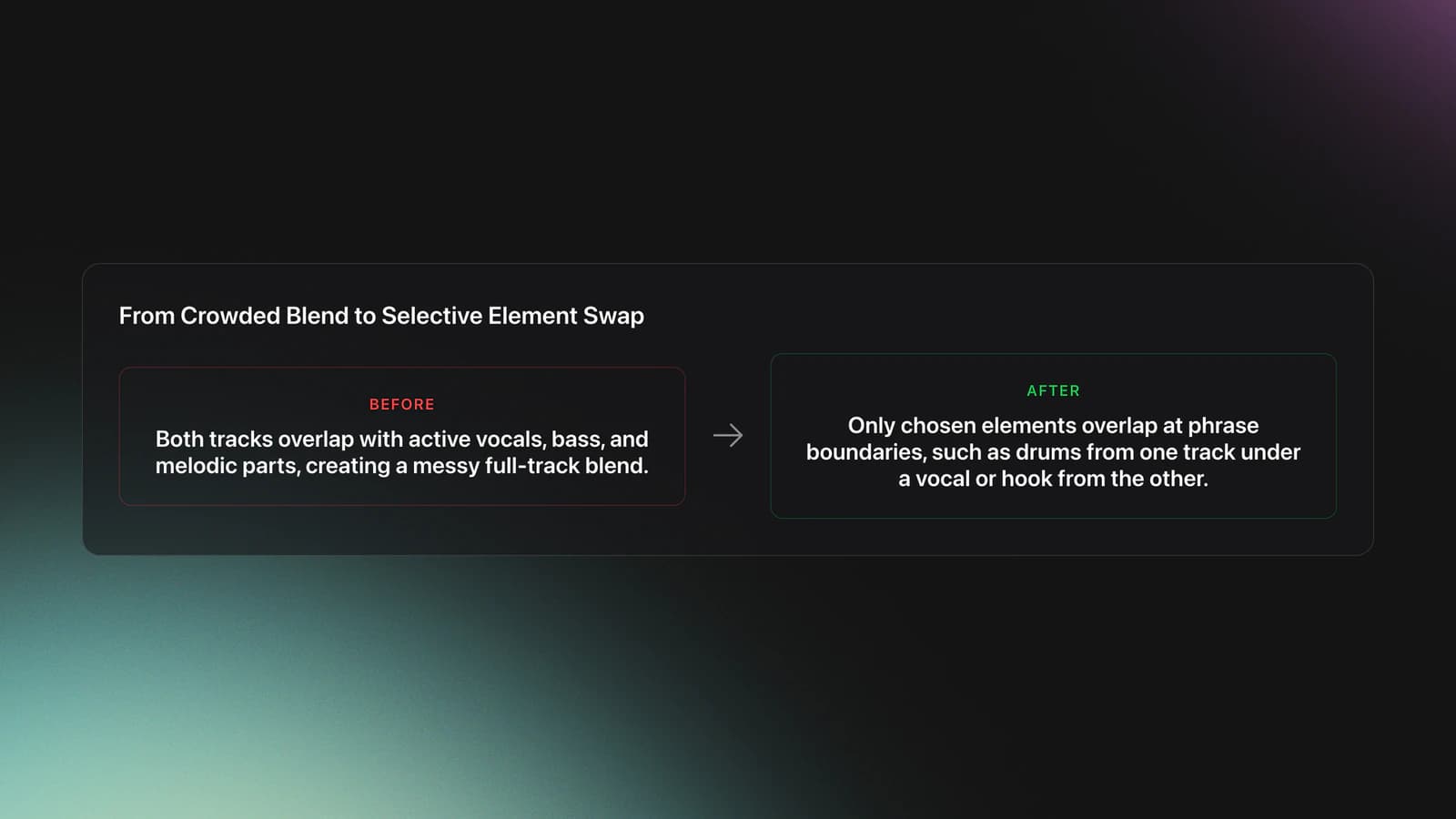
Track Element Cutting is a DJ transition method where you switch or layer only selected song elements at phrase boundaries. Most often, you keep drums from one track while cutting in vocals, bass, or a hook from another track, then complete the swap once the structure lines up.
This is not a formal hardware feature. It is a practical mixing approach built from phrasing, EQ control, looping, and careful timing. Sources from Crossfader and Digital DJ Tips consistently frame good transitions around phrase alignment, drum-only sections, and avoiding clashes between basslines or melodic parts.
The technique becomes useful when full-track blending sounds crowded. If both songs have active vocals, bass, and melodic material at the same time, the mix usually feels messy. Track Element Cutting solves that by deciding which element stays and which one gets replaced.
Think of it as selective transition design. You are not asking, "Can these two songs mix?" You are asking, "Which parts of these two songs should overlap, and for how long?"
Why DJs Use Track Element Cutting
DJs use Track Element Cutting to make transitions cleaner, faster, and more musical. It helps when a track has a short intro, a busy arrangement, or a section you want to highlight without committing to a long blend.
- Prevents bassline and melody clashes during overlaps
- Creates smoother transitions in tracks with short intros or outros
- Lets you spotlight vocals, riffs, or percussion with purpose
- Improves energy control in house, techno, hip-hop, and open-format sets
- Gives you more options when BPMs or arrangements do not match perfectly
The Digital DJ Tips breakdown of basic DJ transitions explains why drum-only sections are easier to layer than fully melodic sections. The Crossfader phrasing tutorial reinforces the same lesson from another angle: when phrases change together, the transition feels natural.
Core Mechanics of the Technique
The core mechanic is simple. Find a section in the outgoing track with one dominant role, then introduce a different role from the incoming track. Drums under a vocal. Vocal over a loop. Percussion under a breakdown. Bassline swap after the phrase turns.
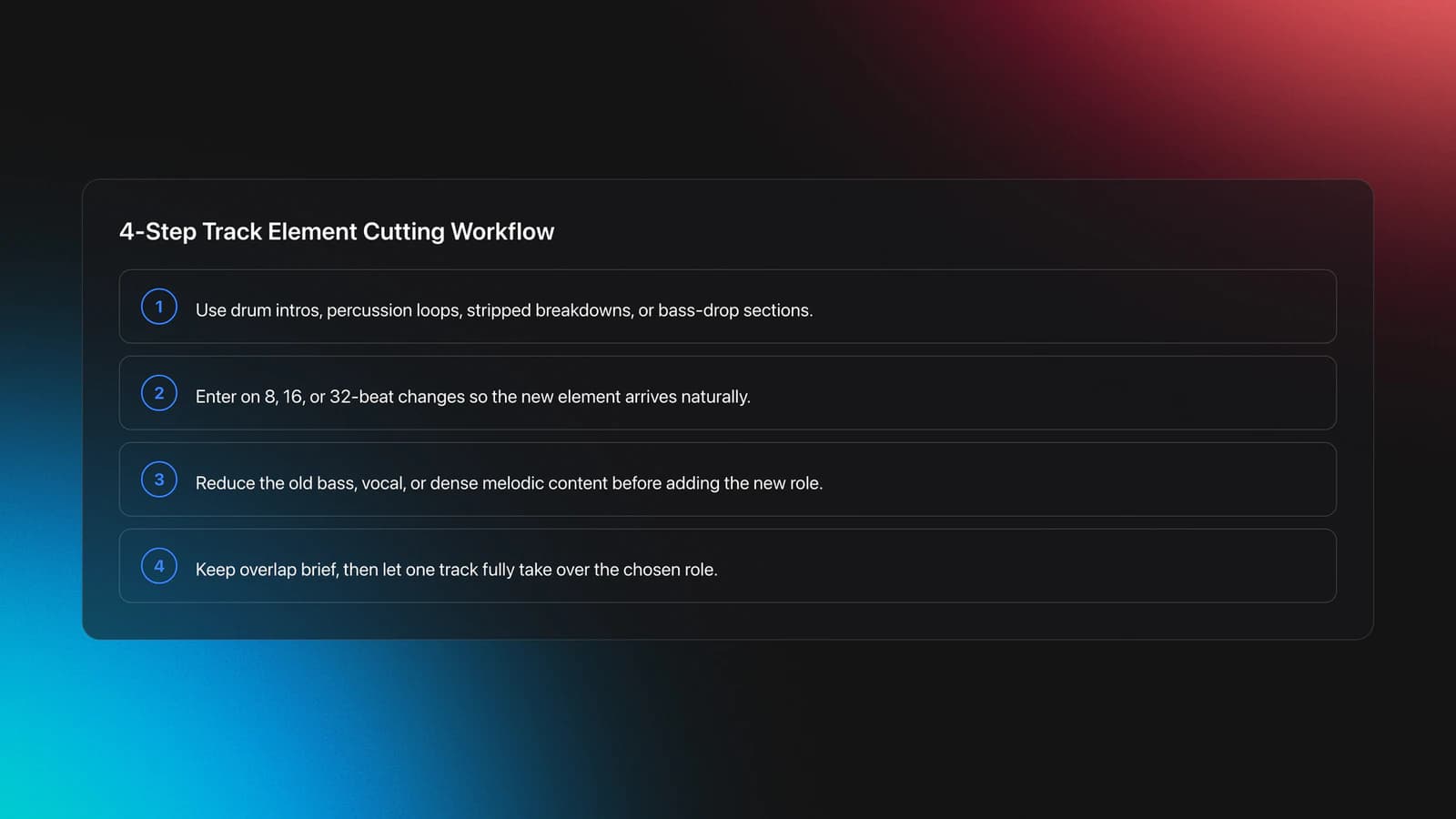
Start by identifying the safest overlap zones. These are usually drum intros, percussion loops, stripped breakdowns, or sections where one track temporarily drops its bass. The DJ TechTools guide to mixing tracks without DJ intros recommends looping usable drum or percussion material when a track does not naturally give you enough room.
Next, line up the phrase structure. Most instructors teach 8, 16, or 32 beat changes because tracks often reveal or remove elements at those points. If you enter too early, the new element feels random. If you enter too late, the mix sounds hesitant.
Then manage frequency space. If you are bringing in a new bassline, remove or reduce the old one first. If you are cutting in a vocal, make sure the outgoing track is not carrying another lead vocal or dense synth line. This is where use EQ mixing to prevent frequency clashes becomes part of the same skill.
Finally, commit to the handoff. Track Element Cutting works because the audience hears a clear decision. The overlap is brief and useful, then one track takes over the role completely.
How to Do Track Element Cutting
To do Track Element Cutting well, choose two tracks with compatible tempo and phrase structure, isolate the section you want to borrow, and swap elements at a clear phrase change. The goal is not maximum overlap. The goal is controlled overlap.
| Step | Action | Key Point |
|---|---|---|
| 1 | Cue a usable phrase in the incoming track | Look for drums, vocal hook, or stripped intro |
| 2 | Beatmatch and count the phrase | Enter on an 8, 16, or 32 beat boundary |
| 3 | Choose one dominant element to keep | Avoid overlapping two full lead sections |
| 4 | Cut or EQ the conflicting element | Swap basslines or vocals deliberately |
| 5 | Complete the transition within the phrase | Do not linger in a crowded overlap |
A basic example is a bassline swap. Let the outgoing track run through its groove, bring in the incoming drums quietly, and wait until the outgoing bass drops or reaches the phrase end. Then remove the old low end and let the new bass arrive cleanly.
Another common example is vocal cutting. Keep a steady instrumental bed from the outgoing track, then cut in a vocal phrase from the incoming track right at the start of a new bar. If the vocal catches attention immediately, the audience accepts the transition faster.
Looping can make this much easier. The Crossfader DJ looping guide and the DJ TechTools guide to mixing tracks without DJ intros both show how short loops extend usable sections when a track arrangement is too short for a confident handoff. If that is a weak spot, practice loop mixing when sections are too short.
Do not think of Track Element Cutting as random chopping. It is still phrase-based DJing. The cut sounds good because the structure supports it.
Equipment and Track Prep
You do not need exotic gear for Track Element Cutting. You need two playable decks, fast cueing, reliable EQ, and enough track knowledge to know where the useful sections live.
Hot cues help because they let you jump straight to a drum loop, vocal entry, or phrase start. Loop controls help because many tracks only offer a few clean beats before another element appears. Waveforms help with navigation, but they do not replace listening.
Track preparation matters more than people expect. Build small practice crates with tracks that clearly expose one element at a time. In Vibes, that can mean grouping tracks by role, such as drum-led intros, vocal-first openings, or bass-light breakdowns, so your drills stay focused instead of random.
This prep step is worth the effort because Track Element Cutting improves fastest when your material is predictable. Experienced DJs often practice with the same 10 to 20 tracks until the timing becomes instinctive.
Practice Drills for Faster Progress
Practice drills should isolate one decision at a time. First, train your ears to hear clean overlap zones. Then train your hands to execute the swap without hesitation.
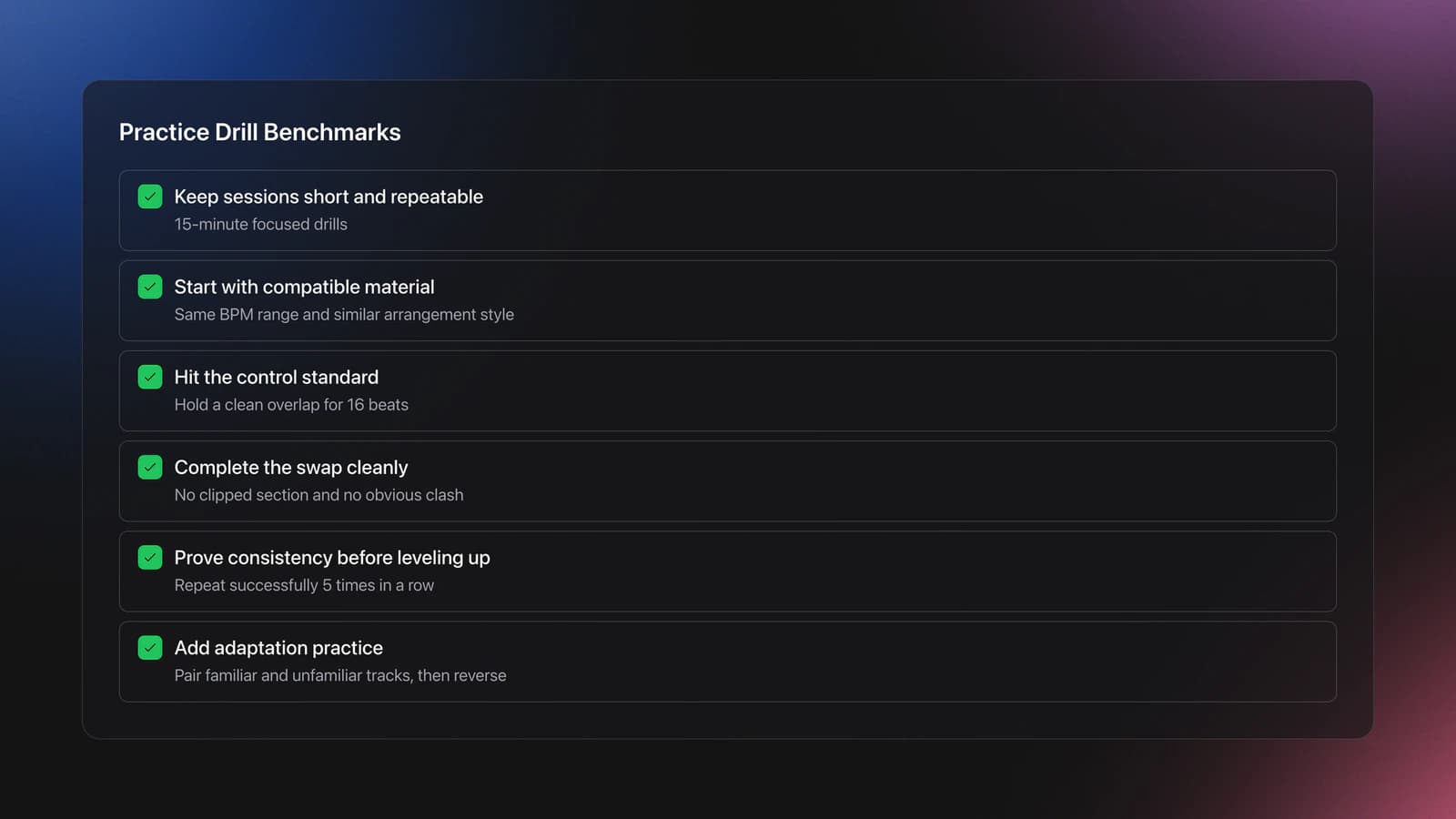
In practice, short, repeatable drills build this skill faster than marathon sessions. Track Element Cutting improves when you repeat the same phrase swap enough times to hear exactly when the transition tightens up.
Start with tracks in the same BPM range and similar arrangement logic. House and techno are ideal because phrase changes are often obvious. Hip-hop and open-format sets can use the same concept, but vocal timing demands more precision.
A solid benchmark is this: hold a clean overlap for 16 beats, complete the element swap without clipping the wrong section, and exit with no obvious clash. Once you can do that five times in a row, increase complexity.
From there, move into mixed-material practice. Pair one familiar track with one unfamiliar track. Then reverse it. This teaches adaptation instead of memorization.
Common Mistakes in Track Element Cutting
Most mistakes come from trying to overlap too much material or from cutting at the wrong structural moment. The technique is selective by design, so restraint matters.
| Mistake | Why It Happens | Solution |
|---|---|---|
| Two basslines playing together | The outgoing low end was not reduced before the swap | Cut lows on one track before the new bass enters |
| Vocals fighting each other | Both tracks carry lead content at once | Use instrumental sections under vocals, not vocal-on-vocal |
| Cut feels early or late | Phrase count was ignored | Enter and exit on 8, 16, or 32 beat boundaries |
| Loop sounds mechanical | Loop choice is too short or too exposed | Use drums or percussion and release on a phrase turn |
Another mistake is treating the crossfader like the whole technique. The fader matters, but the bigger skill is arrangement judgment. The audience reacts to what changed, not just how fast your hand moved.
Troubleshooting Awkward Mixes
If your Track Element Cutting attempts sound awkward, first check whether the overlap is too dense. Most bad transitions improve immediately when one of the two tracks gets simpler.
If the timing feels off, count phrases out loud during practice. The Crossfader phrasing tutorial makes this clear: phrase alignment is what makes transitions feel intentional instead of accidental.
If the section is too short, use loops rather than forcing a rushed cut. If the incoming hook feels too abrupt, introduce a smaller element first, such as percussion or a vocal pickup. If the blend still feels muddy, simplify the EQ moves and make the swap sooner.
And if one pair of tracks simply refuses to cooperate, move on. Track Element Cutting is a selective technique. Not every two songs offer a smart element swap.
Real-World Uses Across Genres
In house and techno, Track Element Cutting often means swapping basslines, hats, or percussion between phrases. The structures are regular, so subtle changes feel elegant and controlled.
In hip-hop and open format, the technique often centers on vocals and impact moments. A quick cut into a hook can reset attention instantly, but only if the beat underneath stays stable.
In drum and bass, faster phrasing makes the timing window tighter. The same principle applies, but your hands and ears need to react faster. This is where drilling one pattern repeatedly over 2 to 4 week cycles gives the biggest payoff.
Track Element Cutting Summary
Track Element Cutting gives you more control over what the audience actually hears during a transition. Instead of blending full arrangements and hoping they cooperate, you choose which element carries the groove, which one introduces tension, and when the handoff should happen.
Key takeaways:
- Swap one important element at a time, not whole busy sections
- Phrase timing decides whether the cut feels natural or forced
- Short, repeatable drills build confidence faster than long unfocused practice
Start with drum-and-bassline swaps, then move to vocals and faster cuts. After that, explore drop mixing for sharper transitions or deepen control with use EQ mixing to prevent frequency clashes.
The visual way to organize your DJ library
Tag tracks by vibe. See everything at once. Export to rekordbox, Serato, Traktor or Engine DJ.
14-day free trial. Full access, no strings attached.
or see how it works
Frequently Asked Questions

Hey, it's Ben Modigell 👋
I DJ and produce as so I so: downtempo, minimal, dub house, tech house, and techno (releases on Spotify and SoundCloud, links above). Everything I write here comes from my own gigs, studio sessions, and library cleanups: the rules I follow, the failure modes I have actually hit, and the workflow I use when nobody is watching. If a technique did not earn its place in my own sets, it does not make it into a tutorial.