
FL Studio
·Image-LineA pattern-based digital audio workstation for beatmaking, recording, arrangement, mixing, and music production on Windows and macOS.
FL Studio is a fast, pattern-based DAW for producers who want to sketch ideas quickly, build full arrangements, and keep a deep plugin toolbox in one place. If your workflow starts with beats, loops, MIDI, and sound design, FL Studio remains one of the clearest options in the category.
FL Studio Overview
FL Studio is a digital audio workstation from Image-Line for Windows and macOS. It is best known for its pattern workflow, strong piano roll, and Lifetime Free Updates on paid editions, which makes FL Studio unusually attractive if you plan to keep the same DAW for years.
The short version is simple. FL Studio suits beatmakers, electronic producers, and songwriters who like to build tracks from patterns and clips rather than start in a traditional tape-style timeline.
That does not mean it is only for EDM. Producer Edition and higher include full audio recording and mixing tools, so FL Studio can handle vocals, instruments, podcast-style editing, and hybrid sessions with both live audio and programmed parts.
Image-Line currently sells FL Studio in four editions: Fruity, Producer, Signature, and All Plugins. The company also makes the upgrade path easy, since you only pay the price difference later. That matters because most people do not need to buy the top tier on day one.
If you are deciding between FL Studio and rivals like Ableton Live, Logic Pro, or Studio One, the real question is workflow. FL Studio rewards pattern-based writing, quick drum programming, and dense MIDI editing more than a conventional linear recording mindset.
Key Features
The core appeal of FL Studio is speed. The Channel Rack, Playlist, Piano Roll, and Mixer work as separate but connected spaces, so you can move from beat sketch to full arrangement without changing software or rebuilding your session.
- Pattern-based composition with Channel Rack sequencing
- Detailed Piano Roll editing for melodies, drums, and automation
- Built-in instruments, effects, samples, and FL Cloud content
- Stem Separation in Producer Edition and higher
- Gopher AI assistant and FL Studio Remote support in current editions
- Lifetime Free Updates for paid editions
The Piano Roll is still one of the strongest reasons to choose FL Studio. It is fast, visual, and flexible, which makes it ideal for melody programming, drum editing, and the kind of dense MIDI work common in trap, house, techno, and pop production.
The edition structure matters more than the headline feature list. Fruity Edition is fine for basic sequencing, but Producer Edition is where FL Studio becomes a complete production tool because it adds full audio recording and broader mixing features.
This is also where FL Studio separates itself on value. Many DAWs ask you to pay again for major updates. Image-Line's model is different: buy once, keep your edition current, and upgrade only if you want more bundled plugins.
Technical Specifications
FL Studio is software, so the important specs are platform support, storage, memory, and licensing rather than physical size. The current release supports both Windows and macOS, and the same license works across both platforms.
| Specification | Details |
|---|---|
| Type | Digital audio workstation |
| Developer | Image-Line |
| Platforms | Windows 10 or 11; macOS 10.15 or later |
| CPU | Windows: 2 GHz processor with SSE2; macOS: Apple Silicon or Intel |
| RAM | 4 GB minimum; 8 to 16 GB recommended |
| Storage | 4 GB free disk space minimum |
| Plugin Support | VST on Windows; VST and AU support on macOS |
| Trial | Fully functional trial; saved projects cannot be reopened until unlocked |
| License Model | Perpetual license with Lifetime Free Updates |
One detail to watch is the operating system guidance. Image-Line's download page lists practical current requirements, while other official references still show older minimums in some places. For a stable setup in 2026, a modern quad-core machine, SSD, and 8 to 16 GB of RAM is the sensible target.
There are no physical dimensions or weight figures because FL Studio is not hardware. That sounds obvious, but it also changes how you should judge value. You are paying for workflow, included tools, and update policy rather than materials or I/O.
Who Is This For
FL Studio is best for producers who write from rhythm, repetition, and MIDI first. If your songs start as drum patterns, synth ideas, chopped samples, or loop-based sketches, it feels immediate in a way many linear DAWs do not.
Beginners can start here, especially with Producer Edition. Image-Line itself positions Producer Edition as the best starting point because it includes the full recording and mixing workflow rather than the more limited Fruity tier.
Intermediate and professional users also get real depth. FL Studio can scale from bedroom beats to commercial production, especially if you already rely on third-party synths, samplers, and mastering plugins.
It is less ideal if your work is mostly multitrack band recording, live take comping, or traditional studio editing. FL Studio can do that, but other DAWs feel more native for that job. In other words, FL Studio shines when composition and sound design lead the session.
In Practice
In practice, FL Studio feels fast because it reduces friction between an idea and a playable loop. You can load sounds, build a beat in the Channel Rack, shape notes in the Piano Roll, and expand into a full song in the Playlist without stopping to rethink the layout.
That speed is why FL Studio stays popular with electronic producers. The workflow favors iteration. Change a pattern. Clone it. Rework the rhythm. Stretch the arrangement. Try a new synth. The software keeps up with that style of writing.
The tradeoff is that FL Studio can feel unusual if you learned on a more tape-like DAW. Playlist behavior, pattern logic, and mixer routing make sense once they click, but the first week can feel less intuitive for recording-focused users.
In practice, what matters in a live booth is reliability, fast recovery, and low-light readability, not marketing extras. FL Studio fits that mindset well because its core writing tools are direct, visual, and efficient when you need to move quickly.
This is where edition choice becomes practical. Producer Edition is the sweet spot for most people. Signature and All Plugins make sense if you specifically want the extra bundled instruments and effects, not because the base workflow is incomplete.
If you are building a wider setup, FL Studio also pairs well with an audio interface buying guide and a dedicated MIDI controller overview. Those pieces matter more to daily workflow than chasing the most expensive software tier.
Pros and Cons
FL Studio is easy to recommend when your priorities are MIDI composition, beatmaking speed, and long-term software value. It becomes harder to recommend when your work is dominated by old-school multitrack recording and you want the most conventional studio layout.
Pros
- Fast pattern workflow.
- Excellent piano roll.
- Strong built-in tools.
- Clear upgrade path.
- Lifetime Free Updates add real long-term value.
- Cross-platform support keeps one license useful across Mac and Windows.
Cons
- -Less conventional than linear DAWs.
- -Edition differences can confuse new buyers.
- -Fruity Edition is limited for serious recording.
- -Some producers will still prefer a more traditional arrangement and mixing environment.
Price and Value
FL Studio offers good value, but the answer depends on edition. As of April 21, 2026, official pricing starts at $99 for Fruity Edition and $199 for Producer Edition, while older review references and major retailers broadly align around roughly €91 to €183 in Europe and about £99 to £159 equivalent territory depending on tax and reseller pricing.
Producer Edition is the smart buy for most users. It includes the recording and mixing tools that make FL Studio feel complete, and Image-Line explicitly says it is the best choice for beginners. Fruity Edition is cheaper, but many users outgrow it quickly.
Signature and All Plugins are better seen as convenience tiers. They save money only if you want those bundled instruments and effects inside the FL ecosystem. If you already own third-party plugins, Producer Edition often remains the strongest value point.
The biggest value argument is still Lifetime Free Updates. Over several years, that policy can make FL Studio cheaper to own than DAWs with paid major upgrades, even if the initial purchase price looks similar.
Alternatives
The best alternative depends on what you want FL Studio to do differently. If you want live performance tools, a more linear recording view, or tighter integration with Apple hardware, other DAWs may fit better.
| Product | Price | Key Difference |
|---|---|---|
| Ableton Live Standard | $439 | Better known for performance and session launching, but notably more expensive. |
| Logic Pro | $199 | Mac-only DAW with a more traditional arrangement flow and strong included content. |
| PreSonus Studio One Pro | $199 | More conventional recording and mixing workflow at a similar starting price. |
If FL Studio appeals to you but you are still comparing ecosystems, it is worth reading a focused Ableton Live comparison or a broader DAW buying guide. Workflow matters more than small spec differences once the basics are covered.
Bottom Line
FL Studio remains one of the strongest DAW choices for beat-driven, MIDI-heavy, and pattern-based music production. Its workflow is fast, its upgrade path is clear, and its Lifetime Free Updates policy still gives it a rare edge in long-term value.
The safest recommendation is Producer Edition. It gives most users the version of FL Studio that feels complete, without paying extra for plugin bundles they may not need.
Choose FL Studio if you want speed, creative flexibility, and a composition-first environment. Look elsewhere if your priority is the most traditional recording workflow from day one.
The visual way to organize your DJ library
Tag tracks by vibe. See everything at once. Export to rekordbox, Serato, Traktor or Engine DJ.
14-day free trial. Full access, no strings attached.
or see how it works
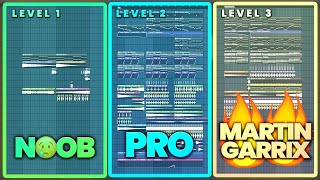
Tutorials Using FL Studio

DJ Techniques Using This Gear
See how DJs and live performers incorporate FL Studio into their workflow.

Frequently Asked Questions

Hey, it's Ben Modigell 👋
I DJ and produce as so I so: downtempo, minimal, dub house, tech house, and techno (releases on Spotify and SoundCloud, links above). Everything I write here comes from my own gigs, studio sessions, and library cleanups: the rules I follow, the failure modes I have actually hit, and the workflow I use when nobody is watching. If a technique did not earn its place in my own sets, it does not make it into a tutorial.