
Legato Function Application
Legato function application uses overlapping notes and voice settings to create smooth pitch and envelope transitions in synths and sampled instruments.
Legato Function Application Tutorials
House Music Explained
Legato Function Application is the practical use of legato mode in a synth, sampler, or virtual instrument to connect notes smoothly instead of retriggering every attack. When you apply legato function settings well, lines feel more vocal, bass parts glide more naturally, and phrasing becomes more controlled. For producers and keyboard players, Legato Function Application is less about a button and more about how note overlap, voice mode, and glide behavior work together.
If your synth lines sound choppy, your 808 slides feel random, or your lead phrases lose momentum, this is often the missing piece. Learn it well and you can shape smoother bass movement, cleaner leads, and more expressive note transitions in both live playing and piano-roll editing.
What Is Legato Function Application?
Legato function application means using a legato voice mode so overlapping notes change pitch without fully restarting the envelope, often with optional glide between notes. In many instruments, legato works best in mono mode, where one note hands off to the next smoothly instead of triggering a fresh attack every time.
This is why legato is often linked to mono synth leads, basses, and portamento. Native Instruments documents that, in Mono mode, legato can let pitch change without a new attack, while Ableton notes that Mono plus Legato changes pitch without resetting envelopes and lets overlapping notes slide according to the Glide control. Native Instruments Massive X voice page and the Ableton Live instrument reference both describe this behavior clearly.
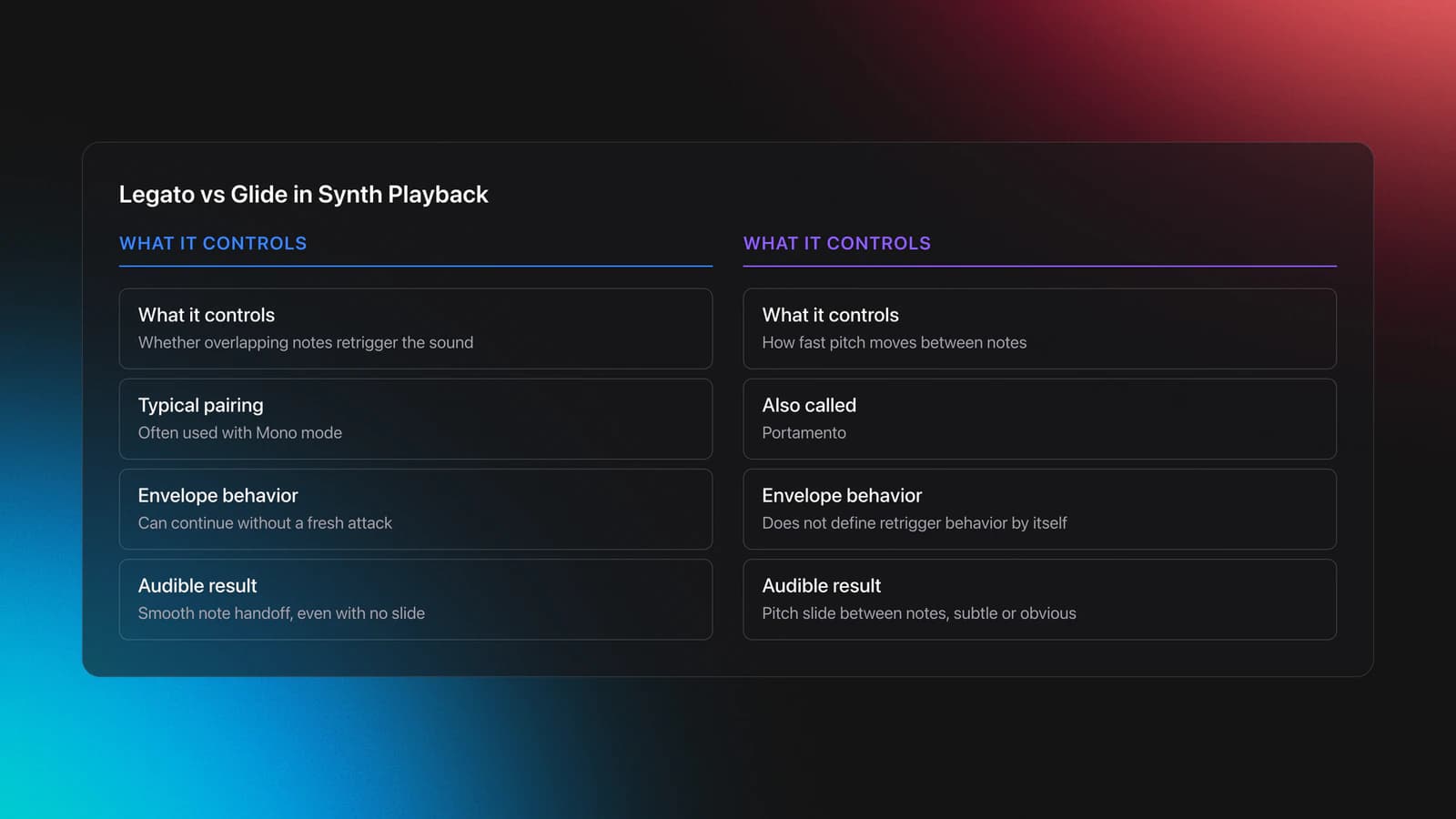
In practice, legato is not always the same as glide. Legato controls whether a new overlapping note retriggers the sound. Glide, also called portamento, controls how fast the pitch moves between notes. You can have legato with no audible glide, or glide that happens on every note, depending on the instrument.
This distinction matters. A lot of confusion comes from treating legato and glide as one feature. They are related, but they solve different musical problems.
Why Legato Function Matters
Legato function matters because it changes phrasing, not just sound design. It helps melodies connect, makes bass lines feel intentional, and reduces the machine-gun effect that happens when every note restarts with the same attack.
Experienced practitioners typically use legato when they want motion without extra impact. That is common in acid-style bass lines, modern trap 808 movement, synth-pop leads, and expressive sampled instruments that need realistic note connection.
It also trains better note editing. Once you understand overlap length, trigger behavior, and glide time, you stop guessing in the piano roll and start making deliberate phrase choices.
Equipment and Setup
You need an instrument that supports mono or legato voice modes. Most modern synths and many samplers do. The Native Instruments Retro Machines perform section explains the common setup: enable Solo or Mono, activate Legato, then turn Glide on if you want a slide between notes.
Start with a simple patch. Use a single-oscillator bass or lead, low release, and a clear attack. Complex modulation can hide what legato is doing. If your fundamentals are shaky, first build solid mono synth control so you can hear each setting clearly.
A MIDI keyboard helps because you can feel overlap timing with your hands. A piano roll also works, and it is often better for learning because you can see note starts, ends, and overlaps with precision.
How to Apply Legato Function
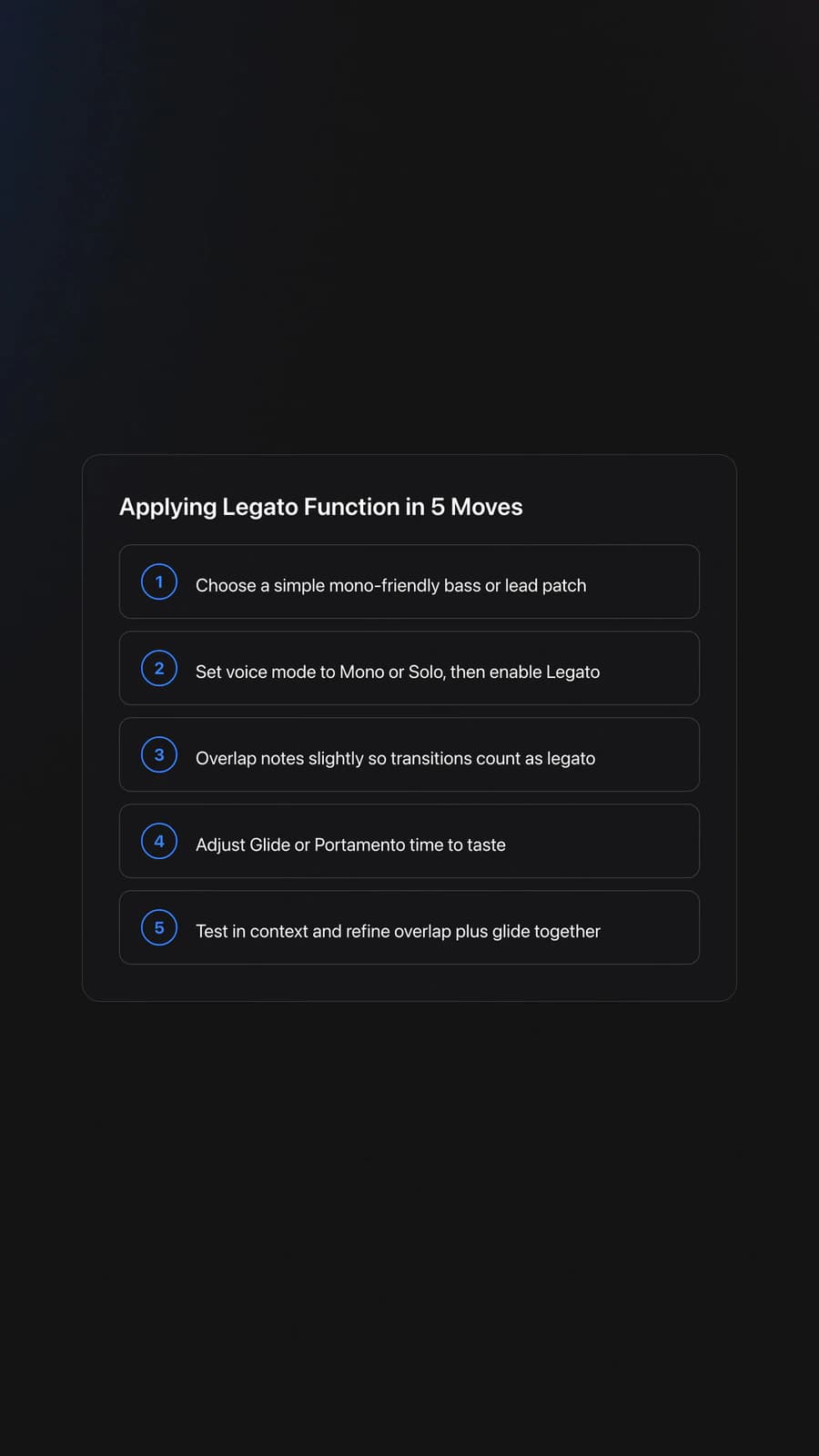
To apply legato function well, set the instrument to Mono or Legato mode, overlap the notes slightly, then adjust glide only if the phrase needs audible pitch movement. The goal is not maximum slide. The goal is controlled connection between notes.
| Step | Action | Key Point |
|---|---|---|
| 1 | Choose a simple bass or lead patch | Use a clean sound so note behavior is obvious |
| 2 | Switch voice mode to Mono or Solo | Legato often depends on monophonic playback |
| 3 | Enable Legato | This stops full retriggering on overlapping notes |
| 4 | Add slight note overlap | No overlap usually means no legato transition |
| 5 | Set Glide or Portamento time | Short times feel tight, long times feel expressive |
| 6 | Play or program a short phrase | Listen for smooth handoff between notes |
| 7 | Adjust overlap and glide together | These two controls shape the result most |
| 8 | Test in musical context | A setting that works solo may feel too slow in the mix |
Step one is choosing the right phrase. Legato works best when the line has directional movement. Repeated short stabs usually need retriggered attacks, not smooth handoffs.
Step two is note overlap. This is where many people fail. If one note ends before the next starts, many instruments treat them as detached notes and retrigger the envelope. MusicRadar points out that mono synth behavior depends heavily on whether notes are played legato, meaning overlapped rather than separated, in performance or programming. See the MusicRadar mono synth playing tutorial.
Step three is glide timing. Short glide times, around subtle transitions, keep bass lines tight. Longer settings create obvious slides and can sound dramatic on leads or 808s. The Sweetwater glide and MIDI guide explains that glide and legato can be combined so pitch changes happen only during overlapping notes.
Step four is envelope listening. With true legato behavior, the second note should often continue the phrase without a fresh attack spike. If you still hear a full restart, check whether the instrument retriggers envelopes in legato mode, because some synths offer separate trigger-legato settings.
This is where it clicks. Once you can hear the difference between envelope retrigger and pitch carryover, you stop treating legato as a preset trick and start using it as phrasing control.
If glide behavior still feels unclear, understand portamento timing next. That technique sits right beside legato and often determines whether your phrase feels tight, rubbery, or exaggerated.
Real-World Uses
Legato function application shows up in a few predictable contexts. Mono bass patches use it to move between notes without extra attack. Lead synths use it to sound more sung than struck. 808-style parts use it for pitch slides that tie one note into the next.
Sample libraries also use legato differently. In some orchestral or vocal instruments, legato may trigger transition samples or scripts rather than simple synth glide. That means the same idea, smooth connected notes, can be implemented in very different ways depending on the instrument.
So the musical question is simple. Do you want each note to restart, or do you want the line to continue? Legato is for continuation.
Common Mistakes
Most legato problems come from setup errors, not from the concept itself. The fix is usually simple once you know what to check.
| Mistake | Why It Happens | Solution |
|---|---|---|
| No audible legato effect | Notes do not overlap | Extend note lengths so the next note starts before the first ends |
| Glide on every note | Instrument is set to always glide | Enable legato-only glide if the synth offers it |
| Still hearing sharp attacks | Envelope retrigger is still active | Check trigger-legato or retrigger settings in the voice section |
| Phrase sounds messy | Glide time is too long for the tempo | Shorten glide or simplify the melodic interval |
| Bass feels weak in the mix | Slide masks the transient and pitch center | Use shorter glide and leave key accents detached |
Why do most beginners struggle here? They change the patch before they change the notes. Legato is highly dependent on note timing, so the piano roll often matters more than the oscillator section.
Another common mistake is using legato everywhere. Detached notes create contrast. If every note glides, the phrase loses shape and impact.
Practice Routine
A good legato routine isolates overlap, glide, and phrasing one at a time. In practice, short drills with one patch and one phrase family build reliable control faster than browsing presets or making random edits.
Start with two-note motion. Program C to D, then C to G, then C to C an octave up. Use the same patch and vary only overlap length and glide time. This teaches how interval size changes the feel of the transition.
Next, play or draw four-note phrases with mixed articulation. Make notes 1 and 2 legato, notes 2 and 3 detached, then notes 3 and 4 legato again. This trains contrast, which is the real musical skill.
Then practice tempo matching. At 120 to 128 BPM, test whether the glide finishes before the next rhythmic target. If it does not, shorten the glide or simplify the phrase.
For producers managing many drills, one practical workflow is to keep a small, tagged reference folder in Vibes with example tracks, bass patches, and phrase ideas grouped by function or energy. That makes it easier to revisit the same legato exercises across 2 to 4 week progress cycles instead of starting from scratch each session.
Finally, apply the setting in context. Use a drum loop and test whether the legato line still reads clearly against the groove. If it does not, the issue is usually phrasing, not sound quality.
After that, practice tighter phrase alignment. Legato becomes much more musical when the connected notes also land correctly within bar structure and transition points.
Measurable Checkpoints
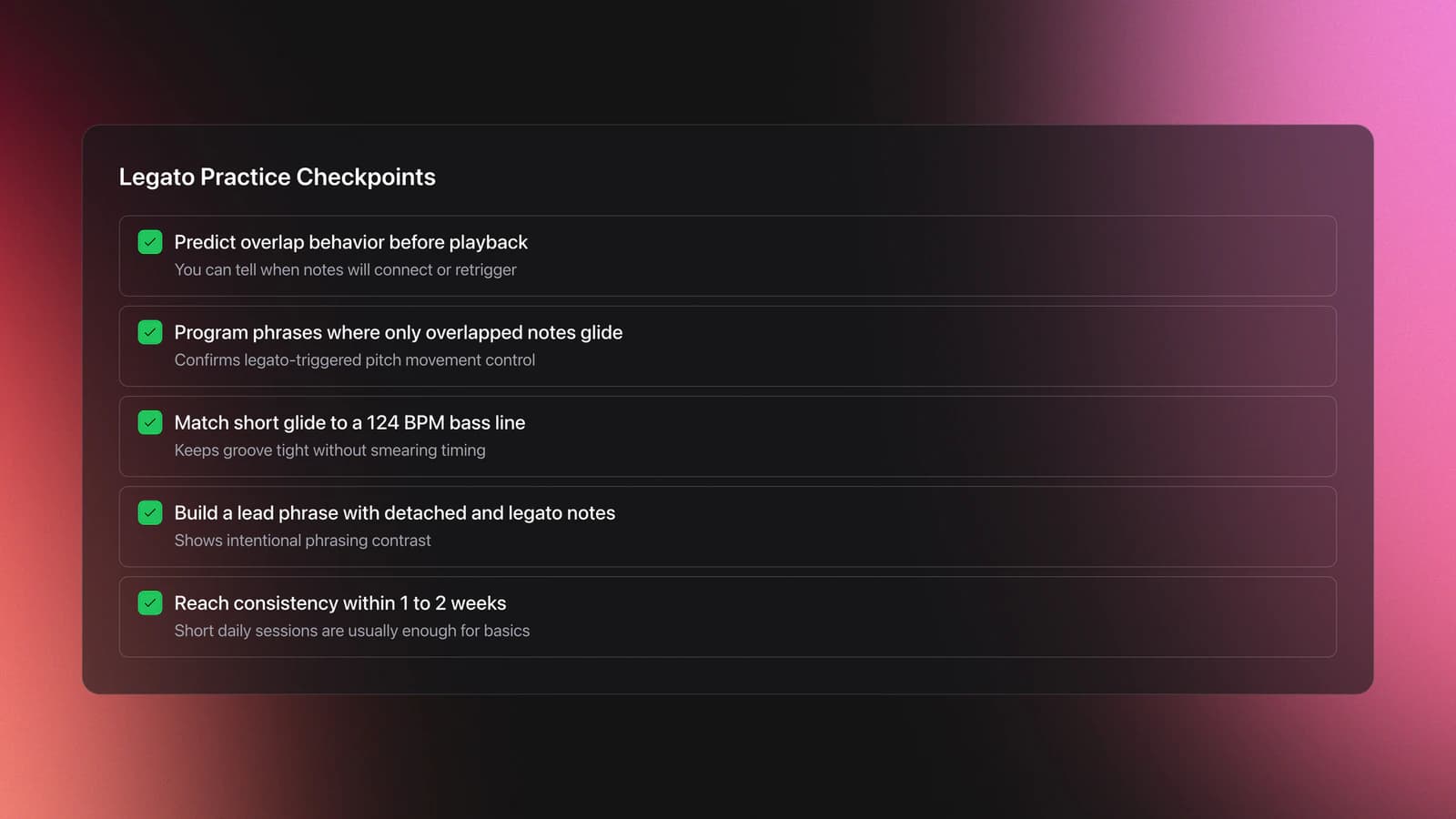
You know you are improving when you can predict the result before pressing play. That means you understand what overlap and glide settings will do, instead of adjusting by luck.
Useful checkpoints are concrete. Program three phrases where only overlapped notes glide. Match short glide settings to a 124 BPM bass line without smearing the groove. Build one lead phrase that alternates detached and legato notes with clear intent.
Most practitioners can reach that level within 1 to 2 weeks of short daily sessions. Clean, musical use takes longer, especially when the arrangement gets busy.
Troubleshooting
If legato is not working, first check voice mode. Many instruments require Mono, Solo, or a dedicated Legato mode before overlap behavior changes. If the synth stays in Poly, you may simply hear two notes rather than a handoff between them.
If the pitch slides but the attack still restarts, look for a separate envelope trigger setting. Some synths let pitch glide while still retriggering the envelopes. Others disable retrigger only in a specific mono-legato state.
If short notes refuse to glide, increase note overlap slightly or reduce the glide time. In practice, note length and glide time interact. A long glide on very short notes often sounds like no settled pitch at all.
If the part sounds expressive alone but muddy in the mix, reduce glide depth and leave the structural notes detached. Legato should support phrasing, not blur it.
Key Takeaways
Legato function application is really the art of controlled note connection. It combines voice mode, overlap, and optional glide so a phrase flows instead of restarting on every note.
Three points matter most:
- Legato depends on overlapping notes, not just a switch.
- Glide controls pitch travel, while legato controls trigger behavior.
- Short, repeated drills build faster results than patch surfing.
Start with one mono patch, one tempo, and one short phrase. Get the overlap right first. Then add glide only when the line needs audible movement. From there, the next useful skill is tighter mono phrasing and related articulation control.
The visual way to organize your DJ library
Tag tracks by vibe. See everything at once. Export to rekordbox, Serato, Traktor or Engine DJ.
14-day free trial. Full access, no strings attached.
or see how it works
Equipment You'll Need
SYNTHO
optionalAn electronic music production learning platform and iPhone app with video courses, community features, and track feedback.
Ableton Live
optionalAbleton Live is the go-to DAW for hybrid DJ sets and live electronic performance. Session View enables non-linear clip launching perfect for DJs transitioning from decks. Use it alongside CDJs, with controllers like Push and Launchpad, or as your complete performance rig.
Frequently Asked Questions

Hey, it's Ben Modigell 👋
I DJ and produce as so I so: downtempo, minimal, dub house, tech house, and techno (releases on Spotify and SoundCloud, links above). Everything I write here comes from my own gigs, studio sessions, and library cleanups: the rules I follow, the failure modes I have actually hit, and the workflow I use when nobody is watching. If a technique did not earn its place in my own sets, it does not make it into a tutorial.