FTP Setup
2 Tutorials•97,097 Total Views
FTP setup is the process of configuring a secure file transfer connection so you can move music files and DJ assets between devices and storage locations reliably.
FTP setup is the process of configuring a secure file transfer connection so you can move music files and DJ assets between devices and storage locations reliably.
FTP Setup Tutorials
FTP Setup matters when your DJ library lives in more than one place. If you move music between a laptop, backup drive, NAS, or remote server, a solid FTP Setup prevents broken folders, missing tracks, and rushed last-minute transfers. It also helps you understand when plain FTP is enough for a private test network and when you should switch to a secure option.
For DJs, FTP Setup is less about performance technique and more about workflow control. Once you understand how file transfer works, you can move playlists, edits, and set materials with fewer surprises, then clean up your Rekordbox export workflow with more confidence.
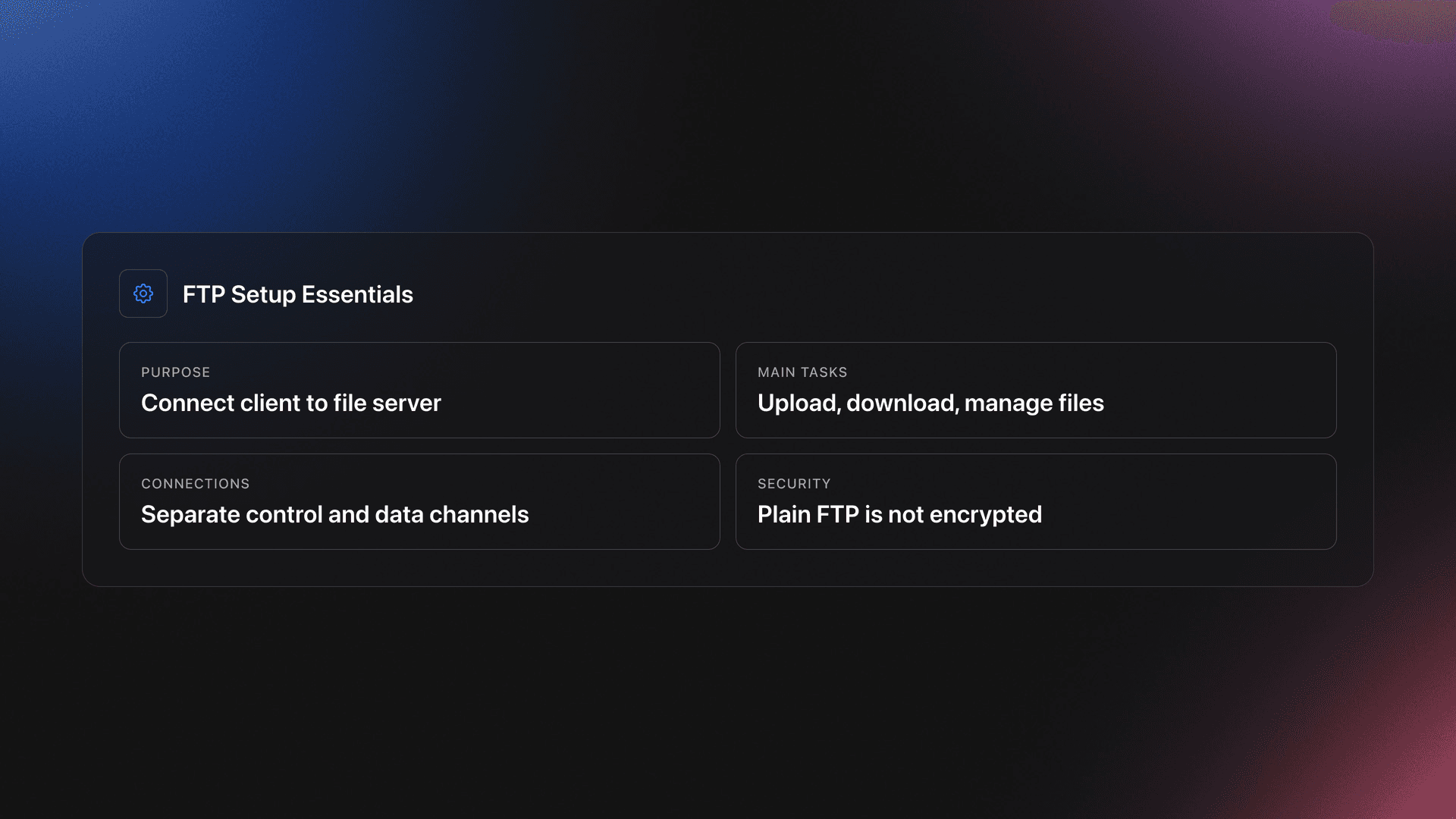
FTP Setup is the process of connecting an FTP client to a file server so you can upload, download, and manage files across a network. In practice, it means choosing the protocol, entering the host address, setting login details, picking a transfer mode, and testing that files move correctly.
The core idea is simple. An FTP client connects to a server over a control connection and uses a separate data connection for the actual file transfer. That split is one reason FTP can behave differently from simpler drag-and-drop cloud tools, especially behind firewalls or routers.
Standard FTP is old and still widely understood, but it is not secure by default. Educational references like the FTP protocol overview and the FTP beginner guide both note that plain FTP does not encrypt credentials or file contents.
The answer is speed and control. If you keep local files across multiple drives or machines, file transfer setup can be faster and more direct than rebuilding a library by hand.
This is most useful when you archive old sets, move edits to a secondary machine, or mirror a library to network storage. It also helps when a DJ workflow includes remote access to folders that later feed into library tools or export software.
The point is not to replace DJ software. It is to make file movement predictable, so the folders your software relies on stay intact.
You only need a few things for FTP Setup: a client device, a server destination, login credentials, and a stable network path. For most users, the client is an app like FileZilla or another transfer tool, while the server is a NAS, VPS, or another computer configured to accept connections.
If your workflow stays inside a home studio, a local network target is usually enough. If files travel over the public internet, secure configuration becomes essential, not optional.
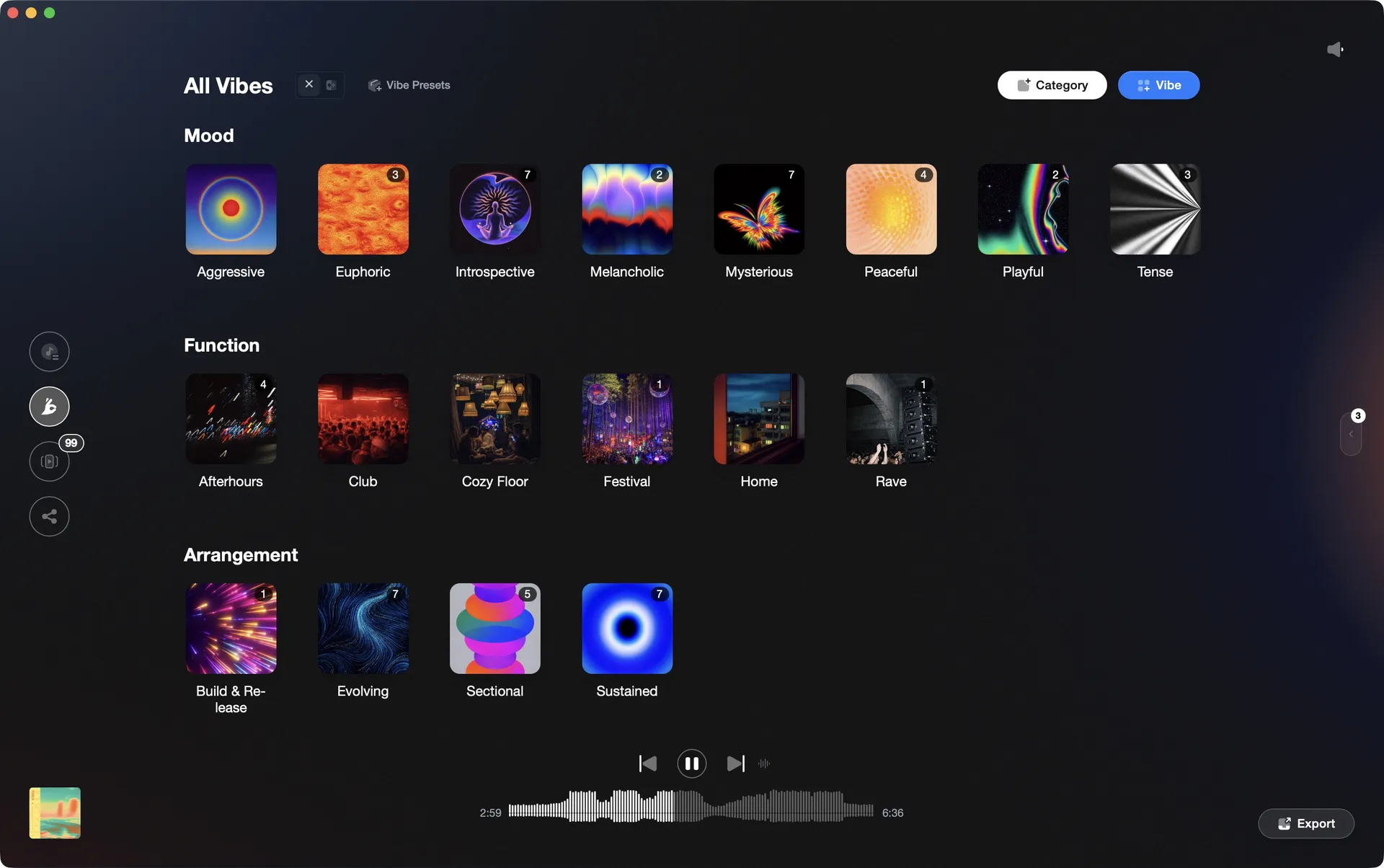
If you manage many folders for different gigs, labels, or moods, organized naming helps before transfer starts. A structured prep layer in Vibes can make those folders easier to review before you move them, especially when you sort practice crates, archive sets, or prep transfer-ready collections.
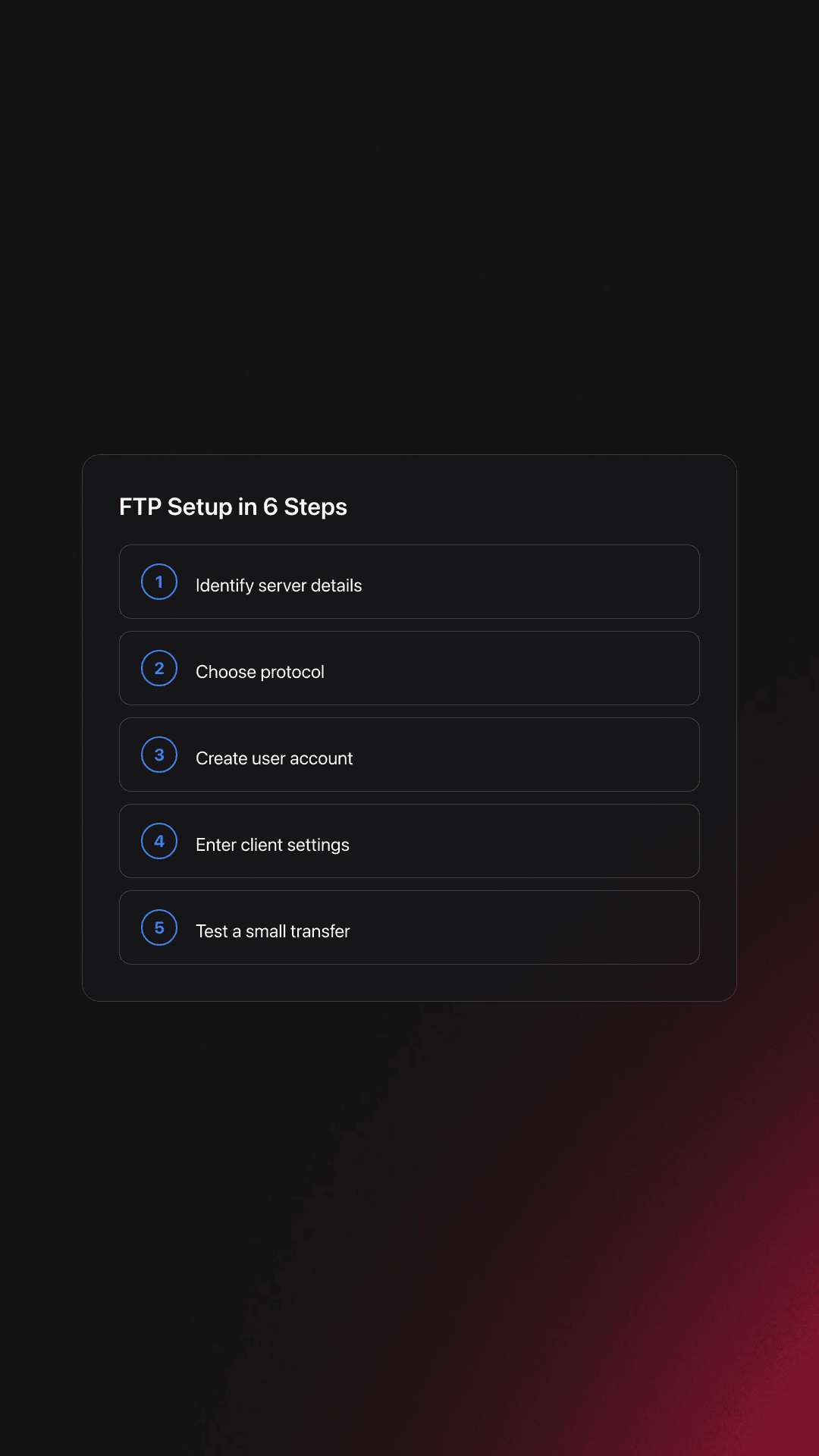
The basic process is straightforward: choose the server, choose the protocol, enter credentials, test the connection, then verify a small transfer before moving your full library. That order matters because it catches permission and path issues early.
| Step | Action | Key Point |
|---|---|---|
| 1 | Identify the destination server | Know the host name, port, and folder path |
| 2 | Choose FTP, FTPS, or SFTP | Prefer encrypted transfer for real-world use |
| 3 | Create a user account | Limit access to the folders you need |
| 4 | Enter settings in the client | Host, username, password, and port must match |
| 5 | Test with a small folder | Catch path, permission, and mode errors first |
| 6 | Verify filenames and file sizes | Confirm the transfer completed cleanly |
Start with the destination. If the server gives you a host name, user name, password, and port, enter those exactly. FTP commonly uses port 21, while secure variants may use different ports depending on configuration.
Next, choose the protocol. Plain FTP works, but standard guidance now favors encrypted transfer methods such as SFTP or FTPS because plain FTP exposes login data and content in transit. The Cisco file transfer protocol configuration guide and the both reinforce that secure options are better for modern environments.
Then test the connection with one folder that contains a few audio files and one text note. This shows whether the server accepts your login, whether the destination path is correct, and whether your transfer mode handles file types properly.
From there, scale up. Move genre folders, set folders, or archive batches only after the first test transfer returns the same file sizes and filenames on both sides.
The short answer is security. Plain FTP is unencrypted, FTPS adds TLS encryption to FTP, and SFTP is a different protocol built over SSH.
That distinction matters because many beginners treat them as interchangeable. They are not. If a host says it supports SFTP, you cannot assume standard FTP settings will work.
For most modern DJ workflows, SFTP is the cleanest choice when available. It is simpler to justify on security grounds and avoids sending passwords in clear text, which classic FTP can do according to the .
Plain FTP
SFTP or FTPS
Most FTP Setup failures come from small mismatches, not complex networking errors. The usual causes are wrong ports, wrong protocol choice, blocked data connections, or sending files to the wrong folder.
| Mistake | Why It Happens | Solution |
|---|---|---|
| Using plain FTP on public networks | It feels simpler at first | Use SFTP or FTPS unless the environment is tightly controlled |
| Wrong port number | Client defaults do not match server settings | Confirm the exact port from server documentation |
| Passive mode confusion | Firewalls block data connections | Enable passive mode if the server expects it |
| Transferring into the wrong root folder | Remote paths are unclear | Test with a small folder and verify the destination before full transfer |
Another frequent mistake is treating transfer success as library success. Files may copy correctly, but your DJ software can still lose references if folder paths change too much. The rekordbox library workflow overview shows how much modern DJ prep depends on stable library structure.
Practice FTP Setup like a repeatable workflow, not a one-off tech chore. The fastest way to improve is to run the same small transfer process several times until each step feels obvious.
Through daily 15-minute practice sessions over several years, I found that short transfer drills beat marathon troubleshooting every time. One clean cycle of connect, upload, verify, download, and compare teaches more than blindly moving a 200 GB library and hoping it works.
Start with three folders: a small practice crate, one archive folder, and one test folder with nested subfolders. Run the same transfer on each until you can do it without checking notes.
If you keep many rehearsal folders, dates, and venue-specific prep sets, Vibes can help you keep that structure readable before transfer. That is useful when you improve set preparation with structured crates and want a cleaner handoff between organization and file movement.
A good checkpoint is this: you can transfer a nested folder, verify the copy, and restore it to a test location in under 10 minutes with no missing files.
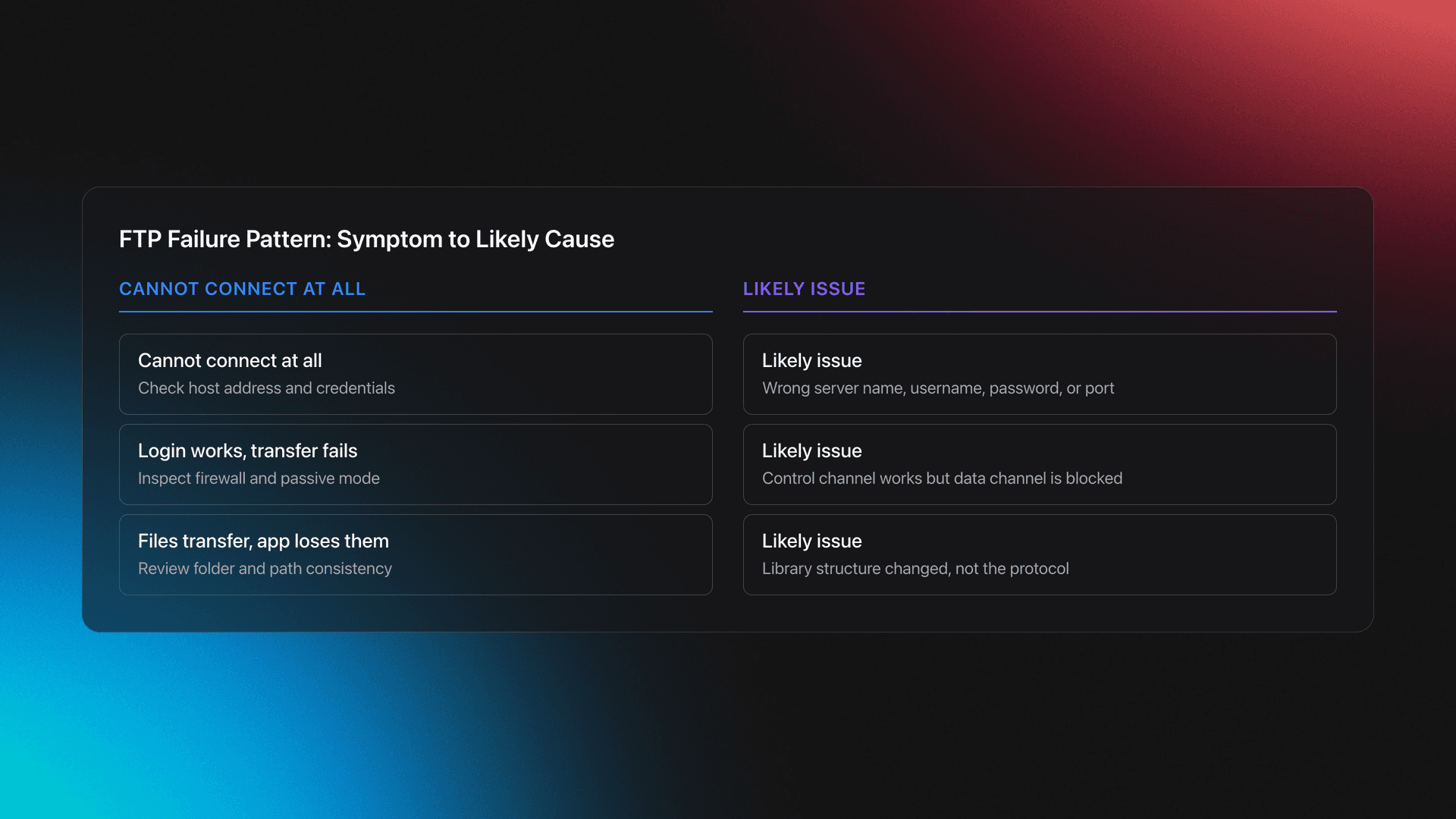
When FTP Setup fails, isolate one variable at a time. First test the login, then the protocol, then the port, then the remote path, then the transfer mode.
If you cannot connect at all, confirm the host address and credentials. If you can connect but transfers fail, look at firewall behavior and passive mode settings. Classic FTP uses separate control and data connections, so a login can succeed even when the file transfer itself fails.
If files transfer but DJ software loses them, the problem is usually path consistency rather than protocol failure. In other words, the server did its job, but your library structure changed more than your software expected.
Most people can learn a basic FTP Setup in one session. Reaching a reliable workflow usually takes a few more sessions because testing, verification, and folder discipline matter as much as the connection itself.
A realistic path is one day to connect, two or three short sessions to test edge cases, and one week to trust the process with important folders. That is especially true if you are moving a working DJ library rather than random documents.
FTP Setup gives you a repeatable way to move music files, set folders, and archives without guessing. The real value is not the protocol itself. It is the confidence that your library stays intact when it moves.
Keep these takeaways in mind:
Start by transferring one practice crate and one archive folder, then compare results. After that, or so your transfer workflow supports real gigs, not just storage.
Tag tracks by vibe. See everything at once. Export to any DJ software.
A visual system for organizing your DJ library.